In [1]:
!pip install pandas nltk scikit-learn matplotlib wordcloud
Requirement already satisfied: pandas in c:\users\alixp\anaconda3\envs\nlp\lib\site-packages (2.2.2)
Requirement already satisfied: nltk in c:\users\alixp\anaconda3\envs\nlp\lib\site-packages (3.8.1)
Requirement already satisfied: scikit-learn in c:\users\alixp\anaconda3\envs\nlp\lib\site-packages (1.5.0)
Requirement already satisfied: matplotlib in c:\users\alixp\anaconda3\envs\nlp\lib\site-packages (3.9.0)
Requirement already satisfied: wordcloud in c:\users\alixp\anaconda3\envs\nlp\lib\site-packages (1.9.3)
Requirement already satisfied: numpy>=1.26.0 in c:\users\alixp\anaconda3\envs\nlp\lib\site-packages (from pandas) (1.26.4)
Requirement already satisfied: python-dateutil>=2.8.2 in c:\users\alixp\appdata\roaming\python\python312\site-packages (from pandas) (2.9.0.post0)
Requirement already satisfied: pytz>=2020.1 in c:\users\alixp\anaconda3\envs\nlp\lib\site-packages (from pandas) (2024.1)
Requirement already satisfied: tzdata>=2022.7 in c:\users\alixp\anaconda3\envs\nlp\lib\site-packages (from pandas) (2024.1)
Requirement already satisfied: click in c:\users\alixp\anaconda3\envs\nlp\lib\site-packages (from nltk) (8.1.7)
Requirement already satisfied: joblib in c:\users\alixp\anaconda3\envs\nlp\lib\site-packages (from nltk) (1.4.2)
Requirement already satisfied: regex>=2021.8.3 in c:\users\alixp\anaconda3\envs\nlp\lib\site-packages (from nltk) (2024.5.15)
Requirement already satisfied: tqdm in c:\users\alixp\anaconda3\envs\nlp\lib\site-packages (from nltk) (4.66.4)
Requirement already satisfied: scipy>=1.6.0 in c:\users\alixp\anaconda3\envs\nlp\lib\site-packages (from scikit-learn) (1.13.1)
Requirement already satisfied: threadpoolctl>=3.1.0 in c:\users\alixp\anaconda3\envs\nlp\lib\site-packages (from scikit-learn) (3.5.0)
Requirement already satisfied: contourpy>=1.0.1 in c:\users\alixp\anaconda3\envs\nlp\lib\site-packages (from matplotlib) (1.2.1)
Requirement already satisfied: cycler>=0.10 in c:\users\alixp\anaconda3\envs\nlp\lib\site-packages (from matplotlib) (0.12.1)
Requirement already satisfied: fonttools>=4.22.0 in c:\users\alixp\anaconda3\envs\nlp\lib\site-packages (from matplotlib) (4.53.0)
Requirement already satisfied: kiwisolver>=1.3.1 in c:\users\alixp\anaconda3\envs\nlp\lib\site-packages (from matplotlib) (1.4.5)
Requirement already satisfied: packaging>=20.0 in c:\users\alixp\appdata\roaming\python\python312\site-packages (from matplotlib) (24.0)
Requirement already satisfied: pillow>=8 in c:\users\alixp\anaconda3\envs\nlp\lib\site-packages (from matplotlib) (10.3.0)
Requirement already satisfied: pyparsing>=2.3.1 in c:\users\alixp\anaconda3\envs\nlp\lib\site-packages (from matplotlib) (3.1.2)
Requirement already satisfied: six>=1.5 in c:\users\alixp\appdata\roaming\python\python312\site-packages (from python-dateutil>=2.8.2->pandas) (1.16.0)
Requirement already satisfied: colorama in c:\users\alixp\appdata\roaming\python\python312\site-packages (from click->nltk) (0.4.6)
In [2]:
import pandas as pd
import re
import nltk
from nltk.corpus import stopwords
from nltk.stem import WordNetLemmatizer
from sklearn.feature_extraction.text import CountVectorizer
from sklearn.decomposition import LatentDirichletAllocation
import matplotlib.pyplot as plt
from wordcloud import WordCloud
In [3]:
# Download necessary NLTK packages
nltk.download('stopwords')
nltk.download('wordnet')
[nltk_data] Downloading package stopwords to
[nltk_data]     C:\Users\alixp\AppData\Roaming\nltk_data...
[nltk_data]   Package stopwords is already up-to-date!
[nltk_data] Downloading package wordnet to
[nltk_data]     C:\Users\alixp\AppData\Roaming\nltk_data...
[nltk_data]   Package wordnet is already up-to-date!
Out[3]:
True
In [4]:
# Load the data from CSV file
# DATA SOURCE: https://www.kaggle.com/datasets/fahadrehman07/voices-of-history-50-famous-speeches/
file_path = 'C:/Users/alixp/OneDrive/CODES/Python/NOTEBOOKS/50 Famous Speechs.csv'
df = pd.read_csv(file_path, encoding='ANSI')
In [5]:
# Clean the texts
def clean_text(text):
    text = re.sub(r'\s+', ' ', text)  # Remove extra spaces
    text = re.sub(r"[^a-zA-Z]", " ", text)  # Remove non-alphabetic characters
    text = text.lower()  # Convert to lowercase
    return text
In [6]:
df['Cleaned_Speech'] = df['Speech'].apply(clean_text)
In [7]:
# Remove stopwords and perform lemmatization
stop_words = set(stopwords.words('english'))
lemmatizer = WordNetLemmatizer()
In [8]:
def preprocess_text(text):
    words = text.split()
    words = [lemmatizer.lemmatize(word) for word in words if word not in stop_words]
    return ' '.join(words)
In [9]:
df['Preprocessed_Speech'] = df['Cleaned_Speech'].apply(preprocess_text)
In [10]:
# Vectorize the texts
vectorizer = CountVectorizer(max_df=0.9, min_df=2, stop_words='english')
dtm = vectorizer.fit_transform(df['Preprocessed_Speech'])
In [11]:
# LDA Model
lda = LatentDirichletAllocation(n_components=5, random_state=42)
lda.fit(dtm)
Out[11]:
LatentDirichletAllocation(n_components=5, random_state=42)In a Jupyter environment, please rerun this cell to show the HTML representation or trust the notebook.
On GitHub, the HTML representation is unable to render, please try loading this page with nbviewer.org.
LatentDirichletAllocation?Documentation for LatentDirichletAllocationiFitted
LatentDirichletAllocation(n_components=5, random_state=42)
In [12]:
# Display topics
def display_topics(model, feature_names, no_top_words):
    for topic_idx, topic in enumerate(model.components_):
        print("Topic %d:" % (topic_idx))
        print(" ".join([feature_names[i] for i in topic.argsort()[:-no_top_words - 1:-1]]))
In [13]:
no_top_words = 10
tf_feature_names = vectorizer.get_feature_names_out()
display_topics(lda, tf_feature_names, no_top_words)
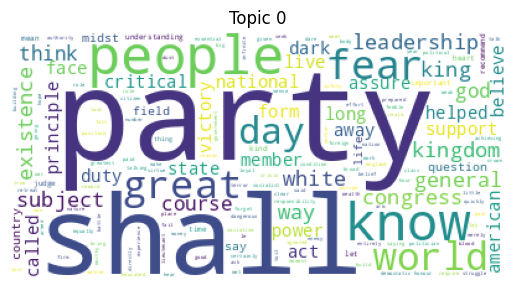
Topic 0:
party shall people know fear great world day leadership general
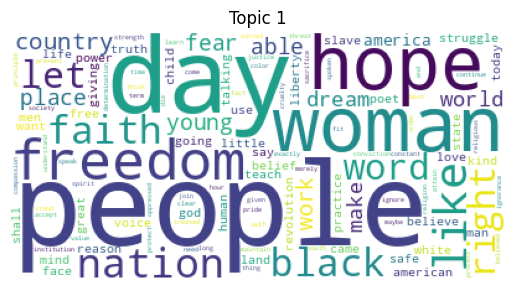
Topic 1:
people day woman hope freedom like nation black faith let
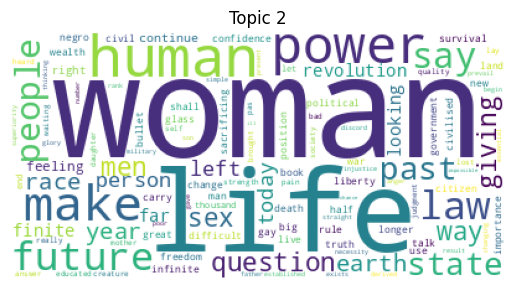
Topic 2:
woman life human power make future law say people state
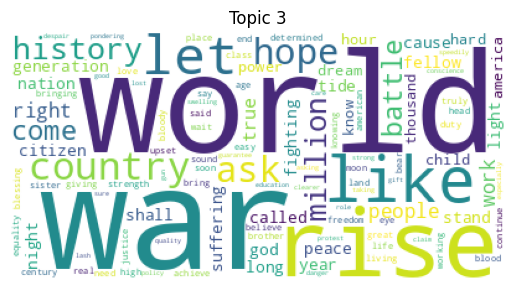
Topic 3:
war world rise like let country hope ask history million
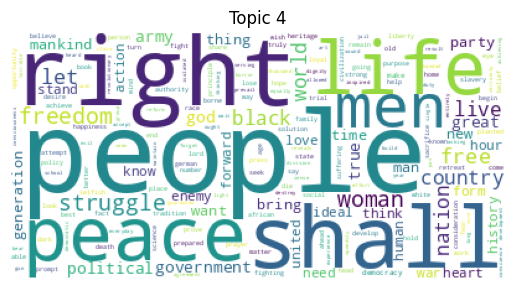
Topic 4:
people right shall peace life men struggle freedom woman let
In [14]:
# Word Cloud Visualization
for idx, topic in enumerate(lda.components_):
    plt.figure()
    plt.imshow(WordCloud(background_color='white').fit_words(dict(zip(tf_feature_names, topic))))
    plt.axis('off')
    plt.title(f'Topic {idx}')
    plt.show()
In [15]:
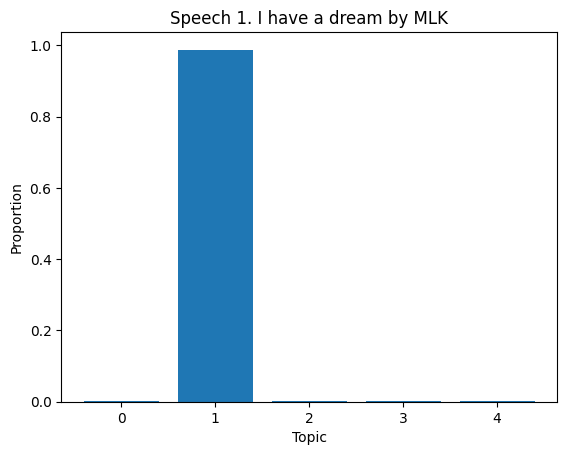
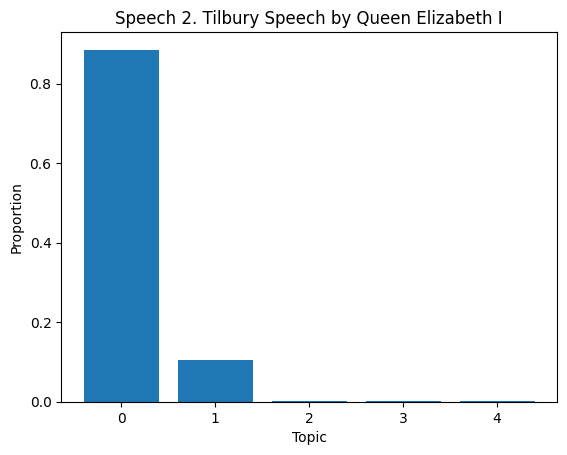
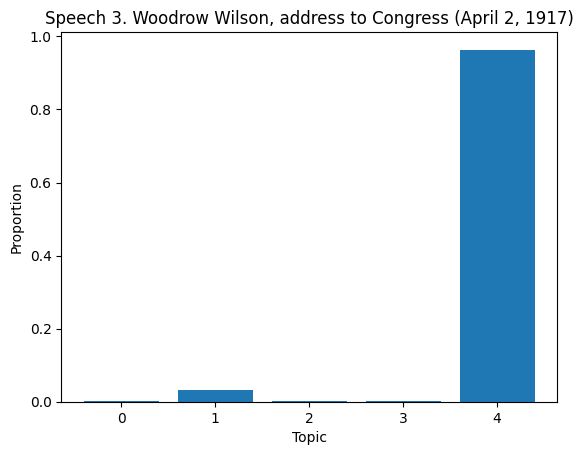
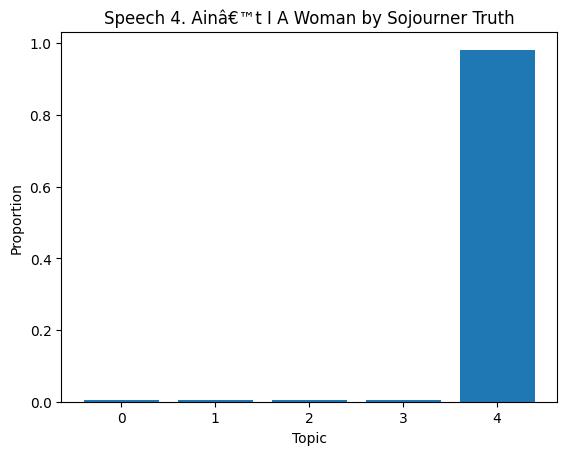
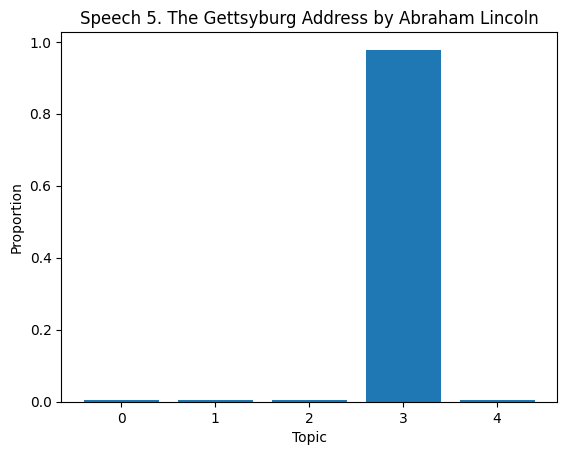
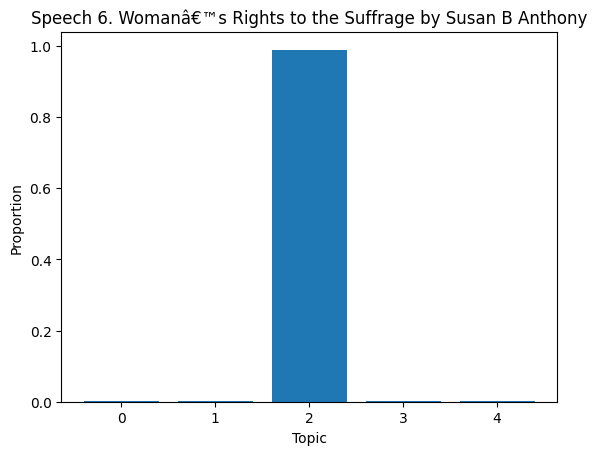
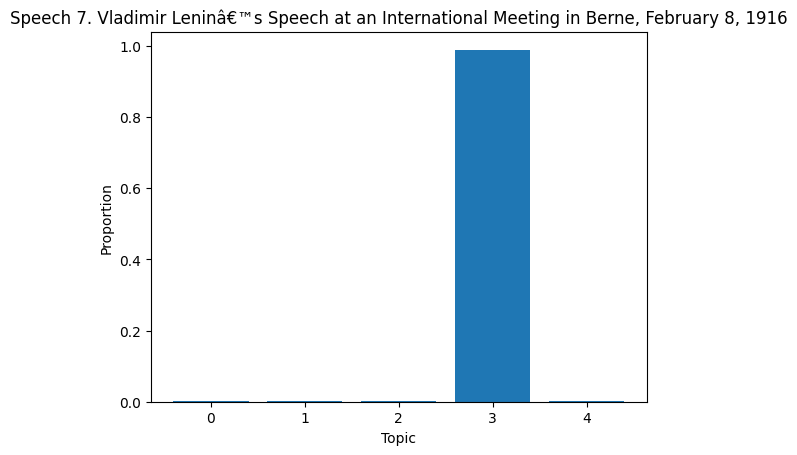
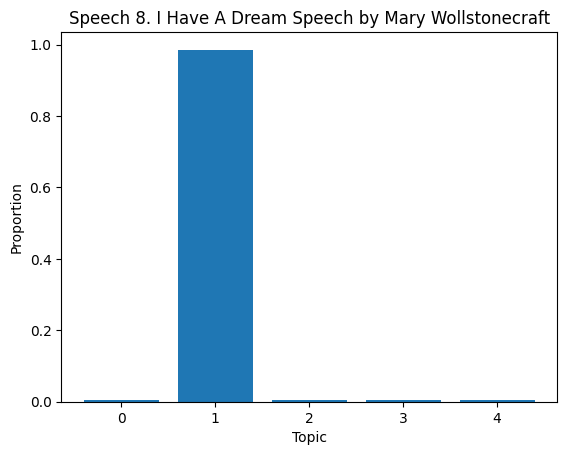
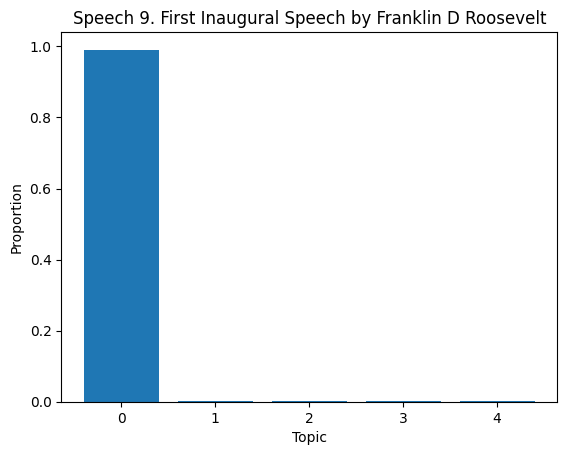
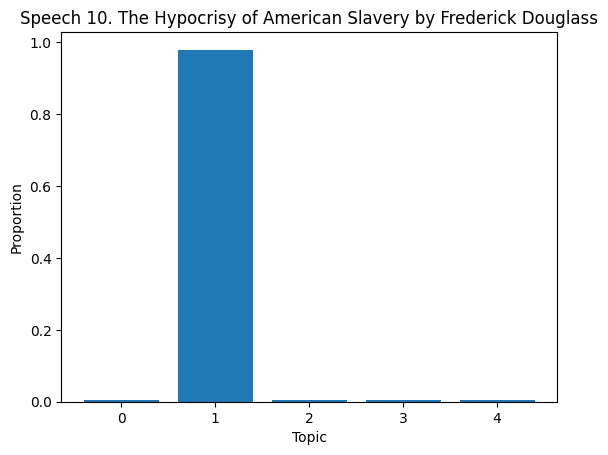
# Topic Distribution in Documents
topic_dist = lda.transform(dtm)

for i in range(len(df)):
    if i >= 10:
        break

    plt.figure()
    plt.bar(range(len(topic_dist[i])), topic_dist[i])
    plt.xlabel('Topic')
    plt.ylabel('Proportion')
    plt.title(f'Speech {df["Title of the Speech"][i]}')
    plt.show()