3.3 Collaborative Tools and Applications
| Svetainė: | KTU atvirieji mokymai |
| Kursas: | Digital Education |
| Knyga: | 3.3 Collaborative Tools and Applications |
| Spausdino: | Svečio paskyra |
| Data: | trečiadienis, 2026 liepos 15, 06:35 |
1. Introduction
The advent of digital technology has revolutionized various sectors, including education. Collaborative tools and applications have emerged as pivotal elements in modern educational environments, facilitating enhanced interaction, engagement, and knowledge sharing among students and educators. These tools encompass a wide range of platforms, including cloud-based services, social media, and specialized educational software, all designed to foster collaborative learning experiences.
In contemporary education, collaboration extends beyond the traditional classroom setting, enabling students to engage in real-time discussions, joint projects, and shared resources regardless of geographical constraints. This chapter delves into the diverse array of collaborative tools available, examining their functionalities, advantages, and potential challenges. By exploring case studies and current research, we aim to provide a comprehensive understanding of how these tools can be effectively integrated into educational practices to enhance learning outcomes and promote a more interactive and inclusive educational experience.
Video 1: Collaborative Tools [Duration 2:13 minutes, created by the course authors]
2. Definition of Collaboration

The concept of collaboration lacks a universally accepted definition, being a construct that encompasses a myriad of definitions and frameworks. The characterization of collaboration takes different forms in different disciplines, including psychology, sociology, education, public administration, management, social work and health sciences (Virkus, 2007).
Etymologically, the word collaboration derives from the Latin verb ‘collaborare’, meaning to labor together (Merriam-Webster, n.d.). The Cambridge English Dictionary defines collaborative working as “the act of two or more people or organizations working together for a particular purpose” (The Cambridge English Dictionary, 2023). Roschelle and Teasley (1995, p. 70) define collaboration as “a coordinated, synchronous activity that is the result of a continued attempt to construct and maintain a shared conception of a problem”. Mattessich and Monsey (1992) propose the following definition: “Collaboration is a mutually beneficial and well-defined relationship entered into by two or more organizations to achieve common goals”. Bedwell et al. (2012) define collaboration “as an evolving process whereby two or more social entities actively and reciprocally engage in joint activities aimed at achieving at least one shared goal”. In their conception, the collaborating entities are brought together by their different skills or resources with the aim of jointly tackling a task of common interest (Virkus, 2024).
Thus, collaboration is mostly defined as the activity, relationship, structure, methodology, process or practice of two or more entities working together to achieve a common goal (Virkus, 2007). Collaboration involves exchanging ideas, sharing resources and expertise. It can take place at different levels such as within teams, across teams, or encompassing entire organizations. Collaboration takes place in a variety of contexts, from physical workspaces and virtual team environments to online communities. In addition, cross-border collaboration is a form of collective work that transcends traditional organizational boundaries. It is a practice that transcends the boundaries of units, disciplines, geographical locations, time considerations and hierarchical structures (Virkus, 2024).
However, the concept of collaboration is often used interchangeably with cooperation, coordination, teamwork and partnership (Virkus, 2007).
3. Types of Collaborative Work

Synchronous vs Asynchronous Collaboration
Synchronous collaboration: Synchronous collaboration refers to real-time communication and interaction among team members. This mode of collaboration requires participants to be present at the same time, engaging simultaneously in activities or discussions. Common examples include:
- Meetings: Physical or virtual gatherings where participants discuss issues, brainstorm ideas, and make decisions collectively.
- Video conferencing: Platforms like Zoom or Microsoft Teams allow team members to hold live discussions, presentations, and collaborative work sessions.
- Live Chat: Instant messaging tools like Slack or Microsoft Teams where team members can quickly exchange information and ideas.
Advantages of synchronous collaboration include immediate feedback, dynamic interaction, and the ability to quickly resolve issues. However, it can be challenging to coordinate schedules, especially for distributed teams across different time zones.
Asynchronous collaboration: Asynchronous collaboration involves communication and interaction that do not require participants to be present at the same time. This allows team members to contribute at their convenience. Examples include:
- Email: Team members send messages and documents, and recipients respond at their own pace.
- Collaboration platforms: Tools like Google Drive, Trello, or Asana where team members can update and access shared documents, tasks, and projects independently.
- Discussion forums: Online forums or boards where ideas and feedback can be posted and reviewed asynchronously.
The benefits of asynchronous collaboration include flexibility, accommodation of different time zones, and the ability to reflect and respond thoughtfully. However, it may lead to delays in decision-making and slower feedback loops.
Team Collaboration vs Project Collaboration
Team collaboration: Team collaboration refers to the ongoing process where a group of individuals work together towards common objectives, often within the context of an organization. This collaboration is typically continuous and focuses on achieving long-term goals. Characteristics include:
- Shared goals: Team members work together to achieve shared objectives, such as improving a product or increasing customer satisfaction.
- Role diversity: Teams often consist of members with diverse roles and expertise, contributing their unique skills to the collective effort.
- Interpersonal relationships: Strong interpersonal relationships and effective communication are critical for successful team collaboration.
Team collaboration emphasizes a cohesive and sustained effort, leveraging the strengths of each member to improve overall performance and outcomes.
Project collaboration: Project collaboration is more focused and time-bound, involving individuals or groups working together to complete specific projects. Each project has defined goals, deliverables, and timelines. Key features include:
- Specific objectives: Projects have clear, well-defined objectives and outcomes, such as launching a new product or implementing a new system.
- Temporary teams: Project teams may be formed temporarily, drawing members from various departments or organizations to leverage their expertise for the project's duration.
- Milestones and deadlines: Projects are structured with milestones and deadlines to ensure timely completion and measure progress.
Project collaboration centers on achieving specific, short-term goals within a set timeframe, often requiring focused and intensive efforts from the team members involved.
4. Networking and Collaboration Tools
There are a variety of free and commercial collaboration and networking tools/platforms that support learning and teaching and allow teachers to share materials with their learners and work on them together in real time, or asynchronously. This can enable strengthening of the teacher- learner online relationship, which is particularly valuable in the early stages of a course.
4.1. Miro
4.2. Teachfloor
Teachfloor is a cohort-based collaborative learning platform that allows to make the learning experience engaging, collaborative, and interactive. Enables creating, managing, and selling online cohort-based courses. Combine synchronous and asynchronous communication. Offers a 15-day trial period, after which you get to choose between the business and the pro tier. The pro tier (up to 100 students) costs $99 per month, whereas you get a custom quote for the business tier.
Benefits:
- Create cohort-based learning in minute — not days.
- Create a collaborative environment using peer learning.
- Manage communities to encourage valuable discussions and connections.
- Build an entire academy under your brand
- Use Zoom to run, sync, and automate classes.
Cohort-based learning describes a learning style where a group of students (a ‘cohort’) take a series of classes together as a group. Students have the same learning schedules and deadlines as opposed to working at their own pace.
4.3. Nearpod

Nearpod is considered one of the best collaborative learning tools for interactive presentations and assessments. Thanks to its intuitive interface, it is straightforward to create lessons and videos. It is super-easy to upload learning materials from places such as YouTube, PowerPoint, and Google Slides. Starting an interactive discussion is another thing designed to be easily accessible. One just needs to click on some lesson slides, add a topic to that particular slide, and learners can respond to it the moment they reach it. Learners can give a video, audio, or textual response. Users can choose between three tiers: Silver (free), Golden ($120 per year), and Platinum ($349 per year).
 You can find out more about this platform in the following video Nearpod for Teachers.
4.4. Zoom

Zoom is a synchronous virtual meeting tool supporting communication and collaboration using video, audio, screen-sharing and text chat, and include options to split groups into breakout rooms, audio and camera control, the ability to record meetings, virtual background, gallery and portrait views, and so on. Can host up to 500 people at one video meeting. Unlimited chat time is available only for paid accounts. Zoom Webinars are useful for more one-way communication with a large size group (up to 500). Options for participants to communicate are restricted, making it more suitable for announcements and general information to a large group, rather than for two-way or small-scale collaboration.In addition to its free tier, Zoom offers three more premium tiers: pro, business, and enterprise. The pro tier costs $14 per host monthly, whereas both the business and enterprise tiers cost $19 per host monthly.
 You can find out more about this platform in the following video Zoom tutorial 2022.
4.5. Microsoft Teams

Microsoft Teams is a unified collaboration and communications platform that merges chat with video meetings, file storage, attachments and app integration. It supports synchronous and asynchronous activity via sharing of files, a number of different communication modes and a rich suite of integrated tools.
One of the standout advantages of Microsoft Teams lies in its seamless integration with the broader Office 365 ecosystem. This means users can effortlessly access and leverage familiar tools like Word, Excel, and PowerPoint within the Teams interface, consolidating their workflow and minimizing disruptions. Furthermore, the platform offers ample cloud storage per user, ensuring that teams have the necessary resources to store and share files without constraints. This not only promotes collaboration but also facilitates efficient information management and retrieval.
Despite its strengths, Microsoft Teams does present some challenges, particularly for new users. The interface, with its wealth of features and functionalities, may initially appear complex, requiring a learning curve for full mastery. Additionally, setting up the platform and navigating its various components may pose initial hurdles for those unfamiliar with its workings.
To support users in overcoming these challenges and maximizing their utilisation of Microsoft Teams, a tutorial video is available. This resource offers step-by-step guidance on getting started with the platform, exploring its features, and harnessing its full potential for collaboration and communication.
In essence, Microsoft Teams represents a powerful tool for modern teams seeking to collaborate effectively in today’s fast-paced digital environment. With its comprehensive suite of features, seamless integration, and user-friendly interface, it empowers teams to connect, communicate, and collaborate with ease, driving productivity and innovation across organizations. You can find out more about this platform in the following video Microsoft Teams Tutorial.
4.6. Slack
Slack is a single platform that enables teams to collaborate on complex projects. It offers a wide range of communication and productivity tools such as real-time messaging (chat and calls), integration with apps and bots, searchable conversations, searchable records, etc. As a result, every team member is in the loop and is always up-to-date with things. In addition to the free tier, Slack offers three more premium tiers: standard, plus, and enterprise grid. The standard tier costs $6.67 per user monthly, the plus tier costs $12.50, whereas you can get a custom quote for the enterprise grid.
 You can find out more about this platform in the following video Slack Review.
4.7. Google Docs

Google Docs allows multiple people to edit the same file at same time, leave comments, and see changes made by every participant (revision history). All you have to do is invite team members to work on a file in Google docs. With that, all participants have a central place to store and share information, take notes, and just seamlessly collaborate and have access to the information they need to get work done.
The advantages of utilising cloud-based systems are evident. Firstly, there’s the convenience factor: with no installations necessary, users can swiftly access the platform without the hassle of setting up software. Moreover, the seamless integration with Google Drive ensures that all modifications made to documents are instantly preserved, mitigating the risk of data loss. Another notable perk is the real-time visibility of changes, enabling multiple collaborators to engage simultaneously and witness edits unfold dynamically.
However, despite these merits, it’s essential to acknowledge the limitations inherent in such systems. One notable drawback is the comparatively restricted feature set when juxtaposed with robust word processing software like Microsoft Word. While cloud-based platforms excel in accessibility and collaboration, they may lack the extensive functionalities and customisation options found in traditional applications like Word. Thus, users must weigh the benefits of convenience and real-time collaboration against the potential trade-offs in functionality and versatility.
 You can find out more about this platform in the following video How to Use Google Docs.
4.8. Google Workspace
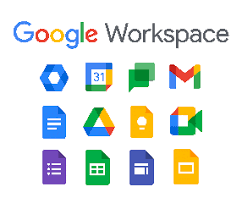
Google Workspace (formerly known as Google Apps and later G Suite) is a collection of cloud computing, productivity and collaboration tools, software and products developed and marketed by Google. Google Workspace consists of Gmail, Contacts, Calendar, Meet and Chat for communication; Currents for employee engagement; Drive for storage; and the Google Docs suite for content creation. Depending on edition Google Workspace may also include the digital interactive whiteboard Jamboard and an option to purchase such add-ons as the telephony service Voice. The education edition adds a learning platform Google Classroom and today has the name Workspace for Education.
 You can find out more about this platform in the following video What is Google Workspace?
4.9. Perusall

Perusall is a social reading platform integrated into Moodle that allows students (and teaching staff) to digitally annotate readings and videos collaboratively (with text, links, and embedded content), and respond to each other’s comments and questions. The Perusall platform is free for students, instructors, and educational institutions. Based on extensive (patent-pending) data analytics, behavioural science, and educational research. Developed at Harvard by Gary King, Brian Lukoff, Eric Mazur, Kelly Miller.
 You can find out more about this platform in the following video Introduction to Perusall.
5. Engaging Students and Building Community

The contemporary educational landscape is marked by rapid technological advancements, diverse student populations, and evolving pedagogical approaches. Central to navigating these dynamics is the imperative of engaging students and building robust academic communities. This chapter delves into strategies for fostering student engagement and community building within academic settings, underscoring their significance for educational success.
The Importance of Student Engagement
Student engagement refers to the degree of attention, curiosity, interest, optimism, and passion students show when they are learning or being taught. It extends to their level of motivation to learn and progress in their education. High levels of engagement are linked to improved learning outcomes, higher retention rates, and greater student satisfaction.
Cognitive Engagement: Involves intellectual investment and effort in learning, characterized by a willingness to tackle complex problems and understand intricate concepts. This can be enhanced through stimulating curricula, interactive lectures, and challenging assignments.
Emotional Engagement: Pertains to students’ emotional responses to their learning experiences, including feelings of interest, enjoyment, and a sense of belonging. Emotional engagement can be fostered through supportive teacher-student relationships and a positive classroom climate.
Behavioral Engagement: Relates to students’ participation in academic, social, and extracurricular activities. Encouraging active participation in class, promoting involvement in student organizations, and facilitating attendance at academic events can boost behavioral engagement.
5.1. Building a Learning Community

A learning community is a group of people who share common academic goals and attitudes, and work collaboratively to achieve them. Building a strong community within academic settings enhances social support, shared learning experiences, and a sense of belonging, all of which contribute to student success.
Inclusive Environment: Creating an inclusive environment where all students feel valued and respected is crucial. This involves recognizing and accommodating diverse backgrounds, perspectives, and learning styles.
Collaborative Learning: Encouraging collaborative learning through group projects, peer-to-peer learning, and discussion forums helps students learn from one another and build strong academic and social connections.
Faculty-Student Interaction: Meaningful interactions between faculty and students foster a supportive learning environment. Office hours, mentorship programs, and informal interactions can significantly contribute to building strong relationships.
Extracurricular Activities: Participation in extracurricular activities such as clubs, sports, and cultural events enhances community spirit and provides opportunities for personal growth and socialization.
5.2. Strategies for Engaging Students and Building Community
Active Learning Techniques: Implementing active learning techniques such as problem-based learning, case studies, and interactive simulations can make learning more engaging and participatory.
Technology Integration: Utilizing technology to create interactive and personalized learning experiences can enhance student engagement. Learning management systems, online discussion boards, and virtual classrooms offer platforms for continuous interaction and feedback.
Feedback and Assessment: Regular feedback and assessment help students understand their progress and areas for improvement. Constructive feedback motivates students and keeps them engaged in their learning journey.
Professional Development for Educators: Providing professional development opportunities for educators to learn new pedagogical strategies and technologies ensures they are well-equipped to engage students effectively.
Community Building Activities: Organizing community-building activities such as orientation programs, team-building exercises, and social events helps students develop a sense of belonging and camaraderie.
Examples
- Flipped Classroom Model: The flipped classroom model, where students review content at home and engage in interactive activities in class, has shown significant improvements in student engagement and academic performance.
- Learning Communities in Higher Education: Institutions that have implemented learning communities, where students take courses together and participate in shared activities, report higher retention rates and enhanced student satisfaction.
- Service Learning Projects: Integrating service-learning projects into the curriculum connects academic content with real-world applications, fostering civic responsibility and community engagement among students.
Engaging students and building a cohesive academic community are fundamental to achieving educational excellence. Through intentional strategies that promote cognitive, emotional, and behavioral engagement, and by fostering a supportive and inclusive learning environment, educators can enhance student learning experiences and outcomes. As the educational landscape continues to evolve, the commitment to these principles will remain paramount in shaping the future of education.
6. Conclusion
In the modern educational landscape, the integration of collaborative tools and applications plays a pivotal role in enhancing student engagement and building vibrant academic communities. These technologies facilitate interactive learning experiences, foster peer-to-peer collaboration, and enable seamless communication between students and educators.
Collaborative tools such as online discussion boards, shared digital workspaces, and real-time collaboration software (e.g., Google Workspace, Microsoft Teams) provide platforms for students to work together on projects, share resources, and offer feedback. These tools not only make learning more engaging but also help develop essential skills such as teamwork, communication, and critical thinking.
Furthermore, applications that support virtual classrooms and asynchronous learning (e.g., Zoom, Canvas, Moodle) allow for flexible and inclusive educational experiences. They enable students from diverse backgrounds and with varying schedules to participate fully in the learning process, thereby fostering a sense of community regardless of physical location.
By leveraging these collaborative tools and applications, educators can create dynamic and interactive learning environments that encourage active participation and collaboration. This, in turn, strengthens the academic community, enhances student learning outcomes, and prepares students for the collaborative nature of the modern workplace.
As we move forward, the continued adoption and innovation of collaborative technologies in education will be crucial. These tools not only support the pedagogical shift towards more interactive and student-centered learning but also play a key role in building cohesive and supportive educational communities. Embracing these advancements will ensure that education remains relevant, engaging, and effective in meeting the needs of all students.
7. References
Birkeland, N. R., Drange, E. M. D., & Tønnessen, E. S. (2015). Digital collaboration inside and outside educational systems. E-Learning and Digital Media, 12(2), 226-241.
Lee, T., Pham, K., Crosby, A., & Peterson, J. F. (2021). Digital collaboration in design education: how online collaborative software changes the practices and places of learning. Pedagogy, Culture & Society, 29(2), 231-245.
Virkus, S. (2024). Collaborative Working, Crowdsourcing, Partnering and Networking. Encyclopedia of Libraries, Librarianship, and Information Science. Academic Press.
Virkus, S. (2007). Collaboration in LIS education in Europe: Challenges and opportunities. In Proceedings of the World Library and Information Congress: 73rd IFLA General Conference and Council. Libraries for the future: Progress, Development and Partnerships (pp. 19-23).
Zawacki-Richter, O., & Jung, I. (Eds.). (2023). Handbook of Open, Distance and Digital Education. Springer.